The numbers a decision needs
Most reporting suites answer questions nobody asked. Telometris reports on what a services business actually decides with: is this project covering its costs, is it on budget, and how has project performance tracked over time. Every figure traces back to the operational records already present in Telometris.
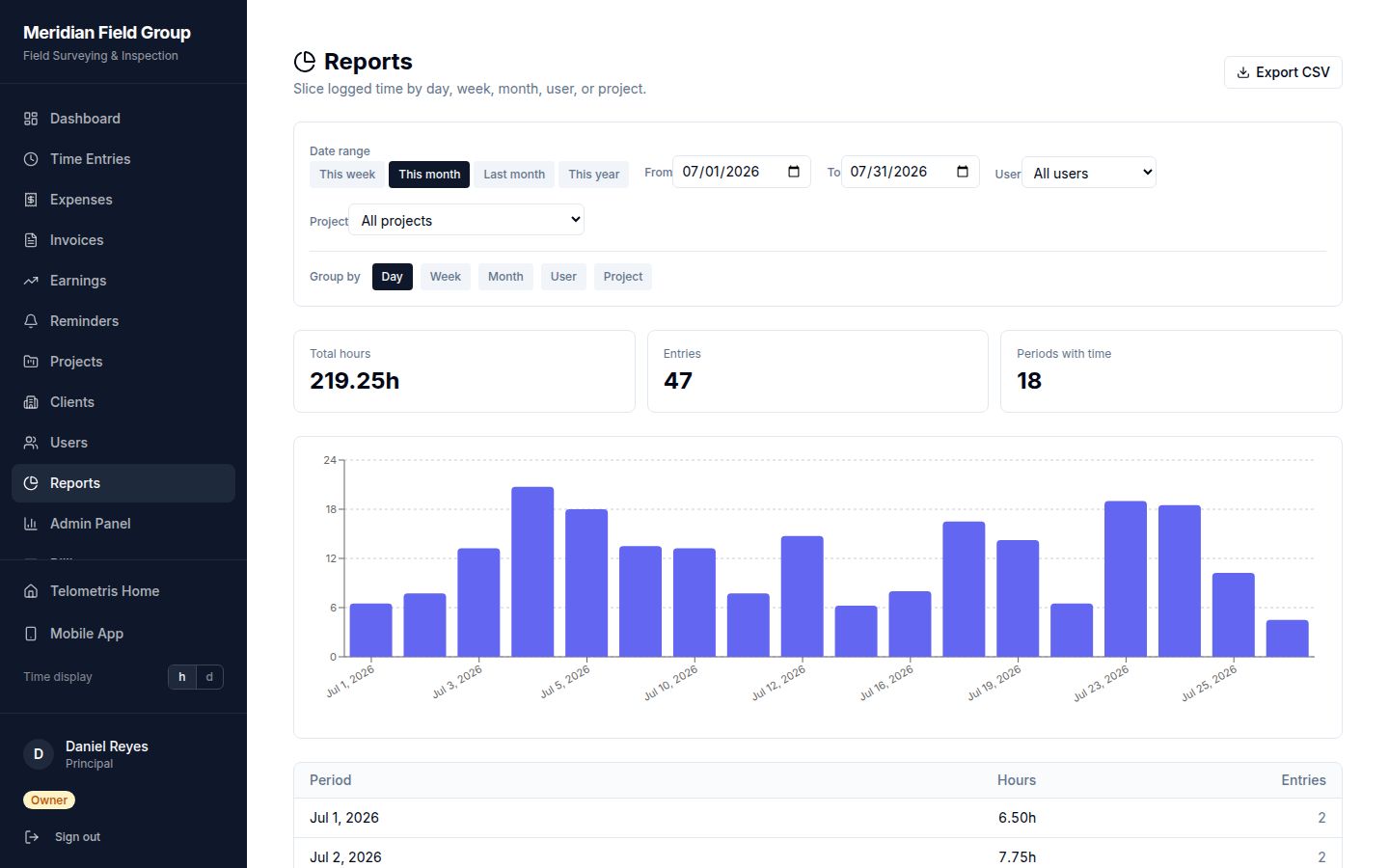
Profitability per project, cost per person
Because every recorded hour carries a billing rate and a cost rate, and every project expense and travel compensation amount is connected to a project, project financial performance is derived from the records — not estimated. See Billable Value, Project Cost, and margin per project, alongside labor cost per person and where unbillable time accumulates.
Budget tracking shows burn against plan as the month progresses, with actuals confirmed month by month — so you see a project drifting over budget while there is still time to act.
Where the plan comes from
Budget tracking compares actual work with an expected amount — but that expected amount is not entered separately as a standalone budget figure.
A project assignment can carry an estimated amount of work. Combined with project dates, that estimate distributes into expected workload across the project period, establishing the baseline for budget comparison. Authorized users can adjust monthly expectations where circumstances change.
Actual recorded time can then be compared with the current expectation as the month progresses, so overruns surface before month-end rather than after.
Filters that answer questions
Slice reports by project, person, date range, or category. Time entries, expenses, and invoices export as CSV for your accountant or spreadsheet. There are no vanity charts and no dashboard grid to configure — the reports exist to end conversations, not start them.
What Telometris measures
Project financial performance in Telometris is built from three operational components. Billable Value: recorded hours at billing rates, plus the amounts of expenses marked billable to the client. Project Cost: recorded hours at cost rates, plus all recorded project expense amounts regardless of whether those expenses are billable, plus recorded travel compensation. Project Margin: Billable Value minus Project Cost.
Every project expense contributes to Project Cost. When an expense is also marked billable to the client, its amount additionally contributes to Billable Value. Travel compensation contributes to Project Cost. Payment source and worker reimbursement status do not affect whether an expense is a project cost.
This view is grounded in the operational records Telometris captures. It does not include company-wide overhead, client invoice totals, client payments, or fixed-fee revenue. It answers the question that matters to a project manager or business owner: is this project covering its costs given the work and spending recorded against it.
The result depends on the records beneath it
Profitability is meaningful only when the cost and revenue measures are identified.
Labor cost, project cost, billable value, invoiced revenue, paid revenue, and project margin describe different stages or views of the business. Telometris connects those measures to the operational and financial records from which they are derived.
A profitability report should explain the outcome without pretending that recorded, billable, invoiced, and paid values are interchangeable.
Operational records + Financial records → Reporting → Profitability
Common inquiries
How does Telometris calculate project profitability?
From the operational records already in the system. Billable Value equals recorded hours at billing rates plus billable expense amounts. Project Cost equals recorded hours at cost rates plus all project expense amounts plus recorded travel compensation. Project Margin is Billable Value minus Project Cost.
Can I track a project against a budget?
Yes. Budget reports show actual burn against plan as the month progresses, so overruns surface early rather than at month-end.
Can reports be exported?
Time entries, expenses, and invoices export as CSV at any time — for accountants, spreadsheets, or archives.
Begin recording.
14 days free, then from $5–$8 per user per month. Every feature included.
Start Free Trial